Take control of your future by mastering your studies through the ICB Student Portal. From registering for exams and downloading your Portfolio of Evidence to checking your results — everything you need is just a few clicks away. No long queues. No paperwork chaos. Just a simple, user-friendly platform built to support your academic success.
Log in, get organised, and spend less time stressing — and more time progressing.
What is the ICB Portal?
The ICB has a Student Portal which lets students manage their profiles directly with the ICB, by going online. As an ICB student, you can do the following things on the ICB student portal.
- Register as a student of the ICB
- Enter for exams (distance learning students only)
- See your exam results (distance learning students learners only)
- View and edit your personal and contact details
- Order certificate reprints
- Make payments to the ICB using a credit card (and other usual methods)
What’s New on the ICB Student Portal
The ICB student portal has a few exciting updates. These changes are here to make learning easier, faster, and more flexible. If you’re an ICB student, here’s what you need to know about the new features on the portal.
| What’s New | Why It’s Been Updated |
|---|---|
| Digital PoE Assessments | Students now use a digital Portfolio of Evidence (PoE). This means you don’t need printed versions anymore. It’s quicker, easier, and fits the way students study online today. |
| Online and Paper Exam Booking Options | You can now choose between writing your exam online or on paper. This helps students who live far from exam centres or who prefer one type of exam over another. |
| Updated Assessment Fees | ICB has made small changes to the fees for 2025. These updates help cover the costs of both online and paper exams, so that all students get good service. |
| Private Invigilator Admin Option | You can now ask to use your own invigilator (exam supervisor) if you qualify. This is great for students in remote areas or those who can’t travel to exam venues. |
These updates make the MACCI ICB student portal easier to use and more flexible for your needs. Now, you can study, submit work, and book exams in a way that suits your lifestyle. It’s all about giving you more control and support during your studies.
How Does ICB Portal Registration Work?
If you are an existing ICB student (i.e. have an ICB ref number) and are new to the student portal, you will need to register online to create your account.
Complete the registration process by entering the following details:
- Username – this can be any name of your choosing.
- Password – this can be any password of your choosing.
- Email – your personal email address, which ICB will use to communicate with you.
- ID number – Your SA ID number, as it is on your SA ID document
As new learner to ICB, you will be required to register/update your personal and contact details to ICB’s database. Once you’ve completed this process you will be able to enrol yourself for exams with the ICB, which will make available your ICB portfolio and assessment material.
Where do I log into the ICB Student Portal?
It’s simple! You can just follow the link here: ICB student portal login and enter your details and you can start using the ICB learner portal. You will find a screen that looks like the image below. Then you will just need to enter your details and you can start using the ICB student portal.
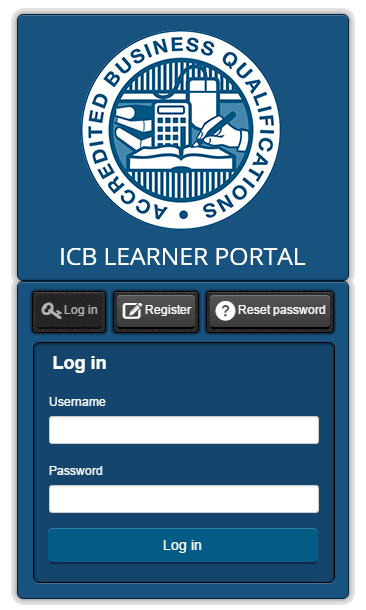
If you want to read a more in-depth guide to this fantastic tool you can do so on this page.
If you have any more queries about the ICB login, please consult the ICB’s website or contact them on: 0861 000 ICB / 0861 000 422
Skills academy is one of the best online institute you can find ,there’s always a tutor on hand frequently phones calls to check up on how you are doin or if you need any assistance books are always on time there’s no mix match of any information or issues so yeah skills academy all the way guys – Andrea L
Frequently Asked Questions
You can see your results on the ICB Student Portal. Use your student number and password to log in. Once you are inside, go to the part that says “Assessments” or “Exams” to find your results.
You will be marked on your assignments, tests, and exams. You need to complete something called a Portfolio of Evidence (PoE). This shows all your work and counts towards your final mark
ICB means Institute of Certified Bookkeepers. It is a group that gives courses in bookkeeping, accounting, and business. ICB courses are known in South Africa and help people find jobs.
An ICB qualification means you have finished a course in accounting, business, or office work. It is a certificate that shows you have the skills to do the job. This can help you get hired by a company.
ICB PoE means Portfolio of Evidence. It is a file that has all your tests, tasks, and assignments in it. You hand it in before your final exam to show what you have learned.
You can also view it with MACCI online.
Yes, the ICB has a special portal just for training providers. This is different from the one students use. If you are a student, you must use the ICB Student Portal Login to check your details, marks, and exam info.
If you forgot your password, go to the ICB Student Portal Login page and click on “Forgot Password.” Then follow the steps to reset it with your email. If it still doesn’t work, you can ask the ICB for help.
You can find your exam timetable when you log into the ICB Student Portal. Once you are inside, look for the section called “Exams” or “Assessment.” Make sure your contact details are correct so you don’t miss any updates.
ICB courses are qualifications offered by the Institute of Certified Bookkeepers in South Africa. They include programs in Bookkeeping, Financial Accounting, Business Management, and Office Administration. Designed to take you from basic through to diploma level, they are modular, flexible, and geared toward practical career skills.
To log into the ICB student portal, visit the ICB website and click on “Student Portal.” Type in your student number and password. Once you are logged in, you can see your results, course information, and other updates.
The ICB timetable tells you when exams and important course events will happen. It is kept up to date and can be found on the ICB website. Check it often so you know when to prepare for tests and deadlines.